


Listenary-Enjoy AudioBooks
4.5271.00 Reviews
App Specs
- Version
- 1.3.0
- Updated On
- License
- Free
- Downloads
- 50,000+
- Developer
- fancyLab
- Categories
- Trivia
- Platform
- Android
Screenshots

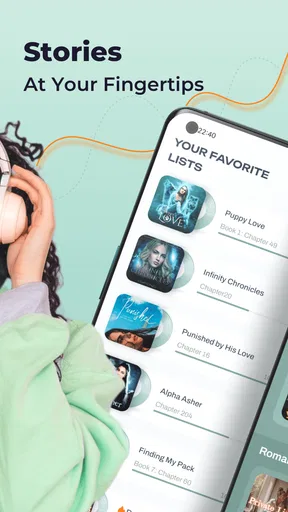
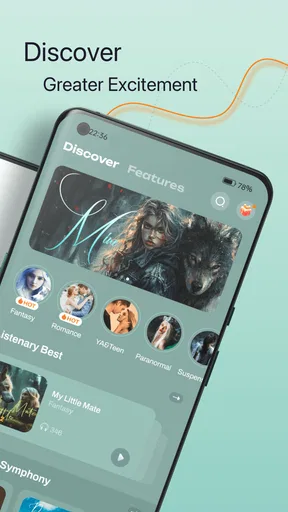
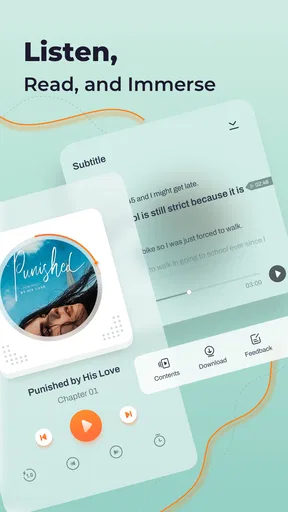
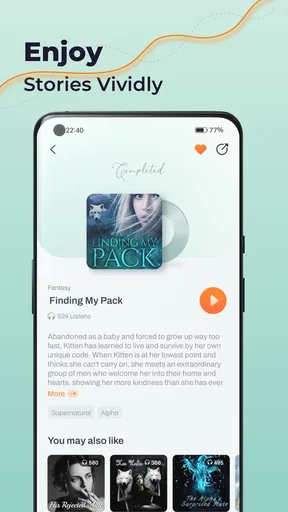
 Analysis by AppCompare
I judge an audio app not just by how pleasant it sounds, but by whether it fits into the small gaps of a real day and makes its costs clear. Listenary-Enjoy AudioBooks is presented as a place for audio stories, and I’d approach it as a listening option rather than a trivia game: the experience described is centered on books, narration and playback. It is free to install, while in-app purchases range from $0.99 to $99.99 per item, so “free” is best understood as the starting point, not a promise that every title or option costs nothing.
That distinction matters before you build a routine around an audiobook service. I would first browse, choose something I genuinely want to hear, and check what the app asks me to pay for before committing to a long series or making a purchase. The Teen content rating is useful context for families, but it is not a substitute for checking whether an individual story suits a particular listener. The game-store framing can also be confusing: its listed category is Trivia, even though the experience described here is audiobook listening. I’d rely on what the app actually offers on my device rather than assuming that the category label tells the whole story.
Making a fair choice before spending
In practical terms, the purchase range is broad: individual items can cost from $0.99 to $99.99. That tells me to treat each purchase as a separate decision, not to assume one price covers everything or that a particular payment unlocks the full catalog. Before paying, I’d read the in-app purchase screen carefully, confirm exactly what the item includes, and avoid tapping through a checkout simply to see what happens. I can’t infer a subscription, refund arrangement or purchase currency beyond the listed dollar range, so I would not plan around any of those without checking the current in-app terms.
This is especially worth doing when trying a new format. An audiobook can take hours to finish, so the most useful test is not whether a preview sounds appealing for a few seconds; it’s whether I like the narrator, pacing and subject enough to keep listening. If a sample or other no-cost listening option is available in the app, I’d use it before purchasing. If not, I’d compare the purchase details with the cost and access rules of the alternatives I already use. The sensible approach is to decide title by title, rather than letting a low entry price make a larger purchase feel automatic.
Getting Started with Listenary
First things first, downloading Listenary-Enjoy AudioBooks is a breeze. Available on both Android and iOS, it takes just a few taps to download and install. The app's interface is sleek and intuitive, making it super easy to navigate even if you're a first-time user. Upon opening the app, you're greeted with a home screen that feels like a cozy library - minus the librarian shushing you!
A Universe of Stories
Now, let’s talk about the real deal – the audiobooks themselves. Listenary boasts a massive library, covering everything from timeless classics to the latest bestsellers. Whether you're into mystery, romance, sci-fi, or non-fiction, there’s something here to tickle your fancy. The search function allows you to find books effortlessly, and you can even explore curated lists if you’re in the mood to discover something new. For someone like me who loves variety, this app is an absolute goldmine.
Choosing what to hear—and what to check
The quickest way to find out whether a listening app suits me is to search for one familiar author or subject, then try a second search that reflects a more specific mood. A broad genre can return plenty of possibilities, while a narrow interest is a better test of whether the catalog serves my actual tastes. I would also compare a few descriptions before settling on a title: when I’m choosing audio, the narrator and the story’s tone can matter as much as the topic. Curated lists are useful when I want a starting point, but I treat them as prompts, not as proof that every pick will fit me.
Worth Reading Before You Choose

Flipboard Shows What News Apps Must Do Beyond the Feed

Switching to Android Auto Means Rethinking Your Driving Routine

Google Calendar Makes a Crowded Week Easier to Manage

Ludo King Makes the Most of the Minutes Between Plans

Baby Panda World Brings Quick Play to Modern Phones, but Its Game Library Feels Busy

ESPN’s Live Game View Makes Following Close Games Easier
That makes this a better match for listeners who enjoy browsing than for someone arriving with one exact, obscure title in mind. The app’s wide-ranging selection is appealing, but no catalog is equally deep in every corner. If my first searches come up thin, I’d try nearby terms or a broader subject before concluding that the whole service is a poor fit. On the other hand, if I need a particular edition for study or a specific specialist title, I’d check that it is available before making this my main listening library.
Seamless Listening Experience
What truly sets Listenary apart is the quality of its audio playback. The app offers crystal clear audio, and narrators are top-notch, bringing stories to life in the most vivid way. You can adjust the playback speed, which is a handy feature for those of us who like to either savor every word or speed through the suspense. Plus, the sleep timer is perfect for those bedtime listening sessions. Just set it and drift off to dreamland with your favorite tales playing softly in the background.
Keeping listening comfortable
Speed controls are most useful when I treat them as a personal setting rather than a race. For a dense nonfiction passage, I might slow down enough to follow the ideas; for a familiar, dialogue-heavy chapter, a quicker pace may work better. I’d change speed in small steps and give my ears a little time to adjust, especially when switching between narrators. A faster setting can save time, but if I lose the thread and have to replay sections, it hasn’t really made the session more efficient.
The sleep timer suits a different purpose: it helps place a boundary around bedtime listening. I’d set it for a short period at first and keep the volume comfortable, then adjust based on whether I tend to fall asleep quickly or stay awake for a chapter. This is a practical routine for winding down, but it is not the best way to follow a plot closely; if I often drift off, I’d use the timer with a book I can easily resume rather than a complicated story where missing a few minutes would be frustrating.
A realistic day with an audiobook
Picture a weekday when I have a routine walk, a few household tasks and a quiet stretch before sleep, but no uninterrupted block for reading. I could choose one title for the walk, use a different speed if the narration feels too slow, then return to the same book while doing chores. At bedtime, I’d switch to something easier to dip in and out of and use the timer. That kind of split-session listening is where playback controls and organization can earn their keep: I’m fitting a story around tasks, not trying to turn every spare minute into a productivity target.
There are limits to that routine. Listening while walking or doing chores is convenient, but I still need to stay aware of traffic, tools, other people and anything that requires concentration. For a book with complicated names or ideas, I’d reserve a quieter session rather than assume I can absorb it while distracted. And if I’m sharing a device or listening in a place where sound would disturb others, I’d plan around headphones and volume rather than treating the app as hands-free entertainment in every setting.
Customizing Your Listening Journey
Listenary knows that personalization is key to a great user experience. The app allows you to create custom playlists, making it easy to organize your favorite audiobooks. Want to listen offline? No problem! You can download books straight to your device, which is a lifesaver for long flights or commutes without reliable internet access. And for those of us who are always curious, the app provides insightful book summaries to help you choose your next listen.
Using playlists and downloads thoughtfully
Playlists are most helpful when they reflect how I actually listen. I might keep a short list for a current series, another for books I’m considering, and a separate group for lighter listening. That prevents a promising title from disappearing in an unstructured queue and makes it easier to pick something that suits the time I have. I would avoid treating a playlist as a guarantee that its books are owned, included or available offline; I’d check the status of each title inside the app before relying on it.
Downloads can make a commute or flight less dependent on a connection, but I’d prepare before leaving rather than waiting until I’m already offline. I’d select the book, start the download while connected and confirm it is ready on the device. This is a useful habit for travel, yet it also means thinking about available storage and deciding which titles I really need with me. I would not download a long backlog by default; keeping only the next few likely listens is a more practical way to avoid filling space unnecessarily.
How it compares with other ways to listen
Compared with reading a printed or digital book, Listenary’s central advantage is that a story can accompany activities where holding a page is inconvenient. The trade-off is attention: I can glance back at a paragraph while reading, but audio asks me to remember where I was and may be harder to follow in a noisy room. Compared with a general music player, an audiobook app is more suited to choosing and organizing longer spoken stories, while music is usually easier to dip into without following a continuous narrative.
It also makes sense to compare it with other audiobook services rather than assuming all of them work the same way. The listed purchase range means I’d inspect how a specific title is sold and what access it provides before deciding that Listenary is cheaper or better value. Someone who already has a service that reliably carries the books they want may not need another library. Someone who prefers one-off title choices, enjoys browsing and finds suitable stories here may appreciate having this option. The right comparison is the actual book and payment terms, not a vague claim that one app is best for every listener.
Where the experience can fall short
While Listenary is pretty impressive, it’s not without its quirks. Occasionally, I noticed the app could be a bit sluggish when loading some features, especially when my Wi-Fi was acting up. Additionally, while the selection is vast, there are a few niche genres that could use a little more love. But honestly, these are minor gripes in an otherwise stellar performance.
Those rough edges affect different people in different ways. A brief delay while browsing is an annoyance if I’m casually looking for tonight’s story, but it matters more if I’m trying to make a quick choice on a tight commute. A thinner niche selection is also a genuine drawback for a listener whose reading life revolves around a specialized subject. I’d test the parts I use most—searching, opening a title and returning to it—before making this my only audiobook app. If those everyday steps feel slow on my connection, a service that performs more reliably for me would be the better choice.
Who is likely to enjoy it?
I’d recommend giving Listenary a look if you like narrated stories, want to explore across genres and can see yourself listening in short sessions. It may also suit someone new to audiobooks who wants to try a different way of enjoying books without buying the app itself, while keeping in mind that purchases are available in a wide price range. The version listed is 1.3.0, and the game has an average rating of 4.5 from 783 ratings, with 50K+ installs; those figures suggest it has found an audience, but they cannot tell me whether its catalog, narration or purchase terms match my own preferences.
I’d be more cautious if I need a particular rare title, want a clearly defined all-access payment arrangement, or expect every feature and book to be free. It is free to download, but individual in-app purchases can reach $99.99, so I would not install it assuming that the whole listening experience has no cost. The Teen age rating is another reason for parents or younger listeners to look at the content of the specific book rather than treating the app’s overall label as a recommendation for every story.
Trust, expectations and my verdict
The developer is fancyLab, and the game was released on Sep 24, 2023. It requires Android 7.0 or later. I find those details useful for checking basic fit, but they don’t settle the more personal questions: whether the app has the book I want, whether its narrator works for me and whether a purchase makes sense for my budget. I’d answer those by checking the title and the checkout details in the app, then trying a manageable listening session before making it part of my routine.
Overall, Listenary-Enjoy AudioBooks is a fantastic app for anyone who wants to immerse themselves in the world of audiobooks. It's user-friendly, offers a huge selection, and the audio quality is spot on. Whether you're a seasoned audiobook enthusiast or a curious newbie, this app is definitely worth checking out. Happy listening!
Pros
- Intuitive user interface for easy navigation.
- Wide variety of audiobook genres available.
- Offline listening mode saves data.
- Personalized recommendations enhance experience.
- Syncs across multiple devices seamlessly.
Cons
- Limited free content compared to competitors.
- In-app ads can be intrusive at times.
- Subscription model may be costly for some.
- Lacks integration with other audiobook platforms.
- Occasional bugs in the search function.
FAQs for Listenary-Enjoy AudioBooks
What features does Listenary-Enjoy Audiobooks offer?
Listenary-Enjoy Audiobooks provides a wide range of features including a vast library of audiobooks across various genres, customizable playback speeds, and sleep timers. Users can also download books for offline listening and benefit from personalized recommendations based on their listening history. The user interface is intuitive, making it easy to navigate and find your next great listen.
Is Listenary-Enjoy Audiobooks free to use?
Listenary-Enjoy Audiobooks offers both free and premium options. The free version provides access to a limited selection of audiobooks with occasional ads. The premium subscription removes ads, unlocks the full library, and includes additional features like offline downloads and exclusive content. Users can try premium features with a free trial before committing.
Can I listen to audiobooks offline with Listenary-Enjoy Audiobooks?
Yes, Listenary-Enjoy Audiobooks allows users to download audiobooks for offline listening. This feature is particularly useful for those who want to enjoy their books without worrying about internet connectivity, such as during travel. However, offline listening is a premium feature, accessible only to subscribers.
How does the personalized recommendation system work in Listenary-Enjoy Audiobooks?
The app’s recommendation system analyzes your listening habits, including genres and authors you frequently enjoy. Based on this data, it suggests audiobooks that align with your preferences. The more you use the app, the better the recommendations become, helping you discover new favorites without endless searching.
Is Listenary-Enjoy Audiobooks available on both Android and iOS?
Yes, Listenary-Enjoy Audiobooks is available for both Android and iOS devices. The app can be downloaded from the Google Play Store and the Apple App Store, ensuring a seamless experience across different platforms. It supports a wide range of devices, making it accessible to a broad audience.


